Agent Orchestration
Coordinate multiple agents with sagas, downstream rules, memory, and human escalation for complex accounting workflows.
- An Artifi account with admin access
- Understanding of agent basics (see Manage Agents guide)
A single agent can process a vendor bill, match a bank transaction, or generate a payment proposal. But real accounting workflows rarely stop at a single step. Processing a bank statement might require creating missing vendors, then re-classifying transactions with the new vendors in place. Running a billing cycle might trigger invoice delivery, then payment collection. Closing a month requires AP cutoff, AR cutoff, bank reconciliation, manual adjustments, and financial statements — in order, across multiple agents.
This guide covers the coordination patterns that make multi-agent workflows reliable: agent requests and callbacks, saga orchestration, downstream event rules, persistent memory, human escalation, and the safeguards that prevent runaway loops.
Where You Can Do What
| Feature | Admin Dashboard | Claude.ai |
|---|---|---|
| Downstream Rules | Create, edit, toggle, delete | Create, toggle via submit() |
| Sagas | Monitor (view phases, status) | Create, cancel via submit() |
| Agent Memory | View, delete entries | Store, recall, delete via manage_agents() |
| Agent Requests | View details, respond | Create, respond via submit() |
Agent-to-Agent Communication
Agents in Artifi communicate through a request-response pattern, not direct calls. One agent creates a request describing what it needs. Another agent picks it up, does the work, and marks it complete. The first agent resumes when it receives the completion callback.
Pattern 1: Agent Requests
The most common coordination pattern. When one agent encounters work that falls outside its responsibility — creating a new vendor, setting up a posting profile, verifying ambiguous data — it creates an agent_request and waits for a response.
Example: bill_processor encounters an unknown vendor
bill_processor                          master_data_agent
     |                                        |
     | 1. Extracts invoice from email         |
     |    Vendor "Acme Corp" not found        |
     |                                        |
     | 2. Creates agent_request:              |
     |    type = "master_data"                |
     |    action = "create_vendor"            |
     |    data = { vendor_name: "Acme Corp",  |
     |             email: "ap@acme.com" }     |
     |    source_table = "agent_instances"    |
     |    source_id = <instance_id>           |
     |                                        |
     | 3. Emits agent_request.created         |
     |    .master_data event                  |
     |                                        |
     |                     4. Triggered by    |
     |                        the event       |
     |                        Searches for    |
     |                        duplicates      |
     |                        Creates vendor  |
     |                        via submit()    |
     |                        → vendor_id: 42 |
     |                                        |
     |                     5. Marks request   |
     |                        completed with  |
     |                        response_data = |
     |                        { vendor_id: 42}|
     |                        Emits           |
     |                        agent_request   |
     |                        .completed      |
     |                        .master_data    |
     |                                        |
     | 6. Callback fires                      |
     |    Resumes with vendor_id = 42         |
     |    Posts the bill                      |
     +----------------------------------------+
The source_table and source_id fields link the request back to the original triggering context. When the completion callback fires, these fields are included in the callback event payload so the requesting agent knows exactly which original piece of work to resume.
Creating a request from Claude:
submit("agent_request", "create", {
    request_type: "master_data",
    action: "create_vendor",
    payload: {
        vendor_name: "Acme Corp",
        vendor_type: "service_provider"
    },
    source_table: "agent_instances",
    source_id: "<your-instance-id>"
})
Completing a request (done by the fulfilling agent):
submit("agent_request", "update", {
    request_id: "<uuid>",
    status: "completed",
    response: { vendor_id: 42 }
})
Pattern 2: Callbacks
When an agent creates a request, the event system automatically fires a callback event when the request is completed. The requesting agent's event trigger list includes agent_request.completed.<type> — for example, agent_request.completed.master_data for bill_processor.
The callback event payload contains the original source_table, source_id, and source_schema fields from the request, plus the response_data from the fulfilling agent. This gives the requesting agent everything it needs to pick up exactly where it left off.
Safety net: If the fulfilling agent completes its run without explicitly calling update_agent_request(), the event processor automatically marks the request as completed and fires the callback. This prevents the requesting agent from waiting forever due to an LLM oversight.
Saga Orchestration
Sagas coordinate sequences of agent phases where the output of one phase feeds the input of the next. Unlike agent requests (which are agent-to-agent), sagas are managed by a central orchestrator that advances phases automatically as each one completes.
How Sagas Work
A saga is a named, ordered list of phases. Each phase specifies which agent runs it and which earlier phases must complete before it can start (the depends_on list). When you create a saga and call advance, the orchestrator starts all phases with no dependencies simultaneously. As each phase completes, the orchestrator checks whether any waiting phases now have all their dependencies satisfied and starts them.
The saga finishes when all phases reach completed. If any phase fails, the saga moves to failed and stops advancing.
Example: Bank Statement Processing Saga
Bank statement processing is the canonical saga example in Artifi. A bank statement often contains transactions for parties that do not yet exist as vendors or customers in the system. Processing it requires three phases:
Phase 1 — bank_transaction_processor (NORMAL mode) Classify all transaction lines. For lines where the counterparty exists, post GL entries immediately. For lines where the counterparty is unknown, record what is missing and stop.
Phase 2 — master_data_agent Receive the list of unknown parties from Phase 1. Search for duplicates. Create missing vendors and customers via submit(). Store vendor name mappings in agent memory for future use.
Phase 3 — bank_transaction_processor (FINALIZE mode) Re-run against all previously-skipped lines. With Phase 2 complete, all parties now exist. Recall memories to resolve names to IDs. Post the remaining GL entries. Mark the statement fully processed.
Phases 1 and 3 run the same agent in different modes — the saga input_data carries a flag that tells the agent which mode to use.
Creating this saga from Claude:
submit("saga", "create", {
    saga_type: "bank_statement_processing",
    legal_entity_id: 9,
    input_data: {
        bank_statement_id: 1234,
        bank_account_id: 56
    },
    phases: [
        {
            phase_number: 1,
            phase_name: "Classify lines",
            agent_type: "bank_transaction_processor",
            depends_on: [],
            input_data: { mode: "normal" }
        },
        {
            phase_number: 2,
            phase_name: "Create missing parties",
            agent_type: "master_data_agent",
            depends_on: [1]
        },
        {
            phase_number: 3,
            phase_name: "Finalize postings",
            agent_type: "bank_transaction_processor",
            depends_on: [2],
            input_data: { mode: "finalize" }
        }
    ]
})
The orchestrator starts Phase 1 immediately. When Phase 1 completes, it starts Phase 2. When Phase 2 completes, it starts Phase 3.
Monitoring Sagas
Sagas are created from Claude using the submit() function shown above. The Admin Dashboard → Sagas page is for monitoring — it shows all sagas with their current phase, timing, and status.
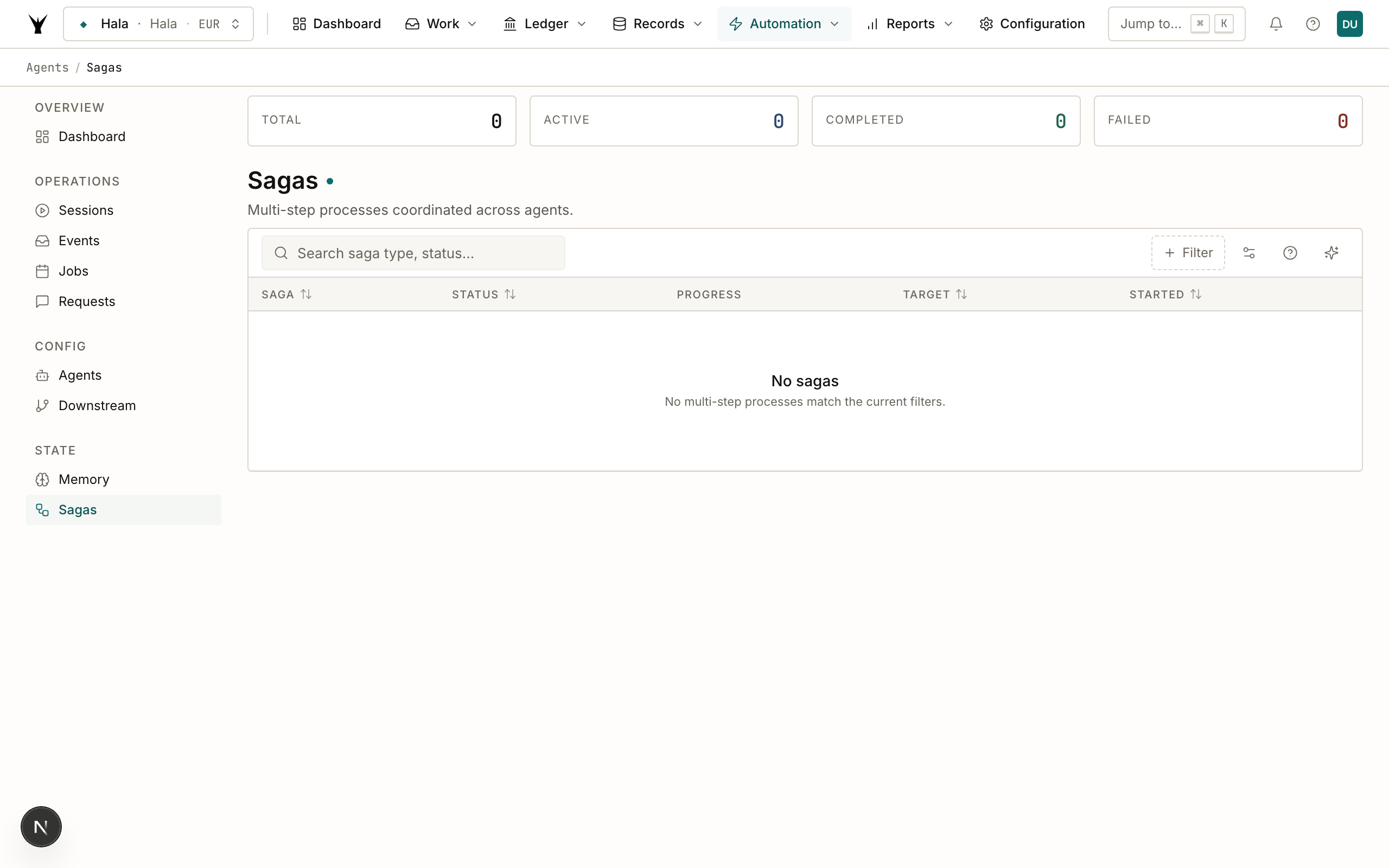
| Status | Meaning |
|---|---|
active | Saga is running — at least one phase is in progress |
completed | All phases finished successfully |
failed | A phase failed and the saga stopped advancing |
cancelled | Manually stopped before completion |
To inspect a specific saga with all phase details:
get_entity("saga", id="<saga-uuid>", include_related=true)
To cancel a stuck saga:
submit("saga", "cancel", {saga_id: "<saga-uuid>", reason: "Phase 2 timed out"})
Downstream Rules
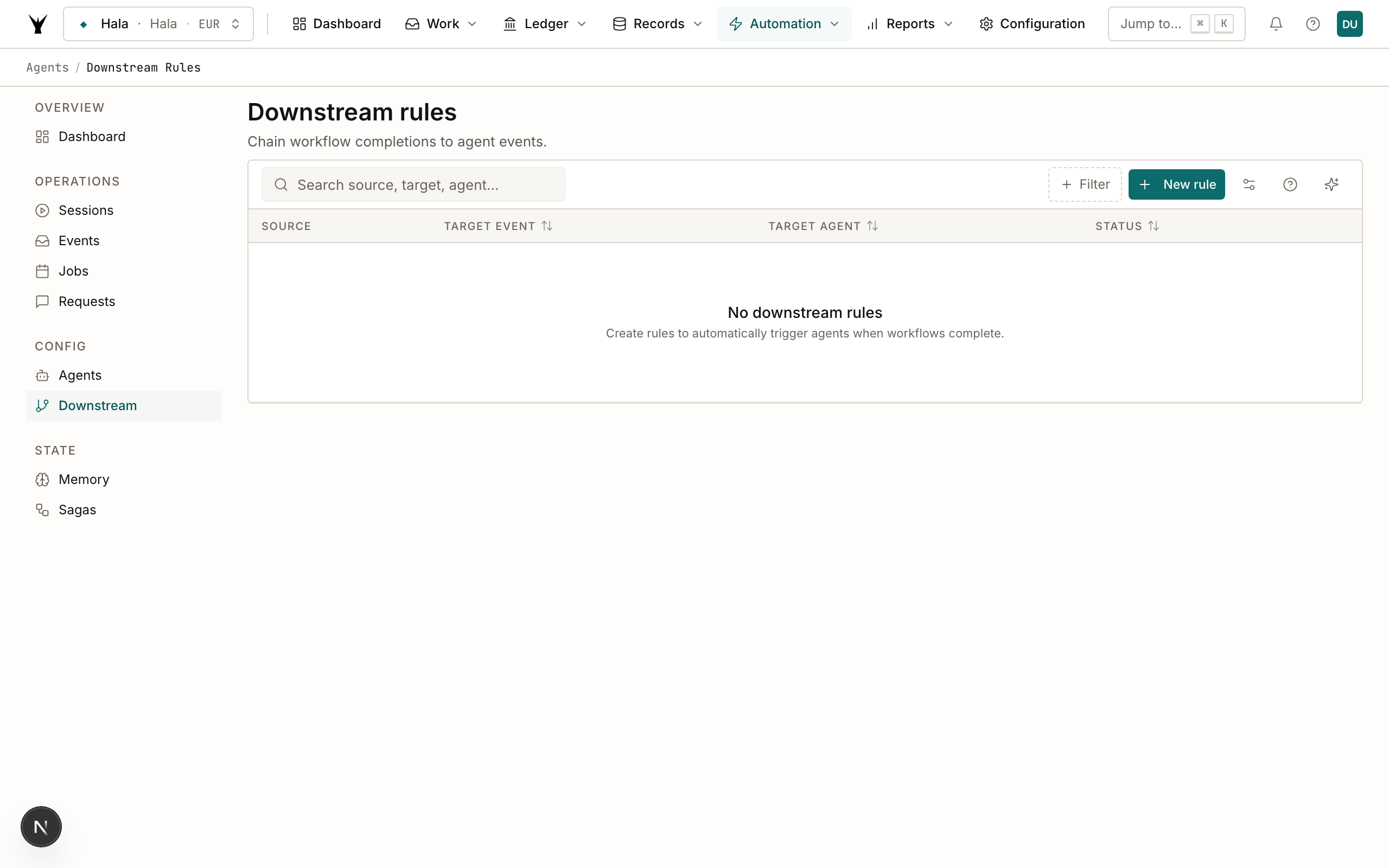
Downstream rules create events automatically when another event fires. They are the mechanism for connecting agents across separate workflows without modifying either agent.
What They Do
A downstream rule says: "when event type X occurs and payload matches condition Y, create a new event of type Z targeting agent A." The source agent emits its normal completion event. The downstream rule fires, creates a new event, and the target agent starts — without the source agent knowing or caring.
Creating Rules
Rules are managed from Admin Dashboard → Downstream Rules (where you can create, edit, toggle, and delete rules), or via Claude:
submit("downstream_rule", "create", {
    name: "Auto-send invoices after billing run",
    trigger_event: "billing_run.completed",
    target_agent_type: "invoice_delivery_agent",
    conditions: { "entity_id": 9 },
    is_active: true
})
Examples
Auto-send invoices after a billing run completes:
- Trigger:
billing_run.completed - Target:
invoice_delivery_agent - Conditions: none (fire for all entities)
Auto-collect payments after AR invoice creation:
- Trigger:
ar_invoice.created - Target:
payment_collection_agent - Conditions:
{ "payment_method": "direct_debit" }(only for direct debit customers)
Trigger reconciliation after an AP bill is posted:
- Trigger:
transaction.posted - Target:
reconciliation_agent - Conditions:
{ "transaction_type": "AP_INVOICE" }
Condition Syntax
Conditions are JSON objects that are matched against the trigger event's payload. All specified fields must match (AND logic). Omit conditions entirely (or set to {}) to fire on every instance of the trigger event.
Payload Mapping
By default, the target agent receives the trigger event's payload as-is. You can add a payload_mapping field to transform or augment the data before it is delivered to the target agent. This is useful when the source and target agents use different field names.
Enabling and Disabling Rules
Rules can be toggled without deletion, which is useful for seasonal workflows or testing:
submit("downstream_rule", "toggle", {rule_id: 4, is_active: false})
Agent Memory
Agent memory is a persistent key-value store that survives across runs. Agents use it to remember what they have learned — vendor name mappings, account classification rules, customer references — so they do not repeat expensive lookups or LLM calls on subsequent runs.
What Memory Stores
Each memory entry has:
memory_key: a string identifier, typically<category>:<value>(e.g.,vendor_Amazon Web Services Inc.)memory_value: a JSON string with the stored data (e.g.,{ "vendor_id": 42, "default_account": "6200" })memory_type: classifies the entry for filteringconfidence: a score from 0.0 to 1.0 indicating how trusted the mapping isexpires_at: optional TTL after which the entry is no longer validlegal_entity_id: optional scope — omit for organization-wide entries, set for entity-specific ones
Memory Types
| Type | Used For |
|---|---|
vendor_mapping | Vendor name or bank description → vendor_id |
learned_mapping | Description pattern → expense account |
observation | Anomaly notes, unusual patterns detected |
baseline | Normal ranges for amounts, transaction counts |
How Agents Use Memory
Before processing a batch, an agent calls recall_memories to check whether it has already resolved the items it is about to process. After successfully creating a vendor or confirming a classification, it calls store_memory to save the result for next time.
Example: bill_processor and vendor resolution
- Invoice arrives from "Amazon Web Services Inc."
- Agent calls
recall_memories(memory_type="vendor_mapping", query="Amazon Web Services") - Memory hit:
{ "vendor_id": 42 }with confidence 0.95 - Agent uses vendor_id 42 directly — no vendor search needed
- On first encounter (no memory hit), agent searches vendors, finds the match, then calls
store_memoryto cache the result
From Claude:
manage_agents(action="store_memory",
    memory_type="vendor_mapping",
    key="Amazon Web Services Inc.",
    value={"vendor_id": 42, "default_account": "6200"},
    confidence=0.95
)
manage_agents(action="recall_memories",
    memory_type="vendor_mapping",
    query="Amazon Web Services"
)
Confidence and Filtering
Agents can specify a minimum confidence when recalling memories. A mapping confirmed by a human (confidence 1.0) is trusted unconditionally. A mapping inferred by the agent heuristically (confidence 0.6) might be used as a suggestion but not acted upon automatically.
TTL
Set expires_at for time-sensitive data — for example, a cached exchange rate might expire after 24 hours, while a vendor mapping might be permanent.
Admin Dashboard
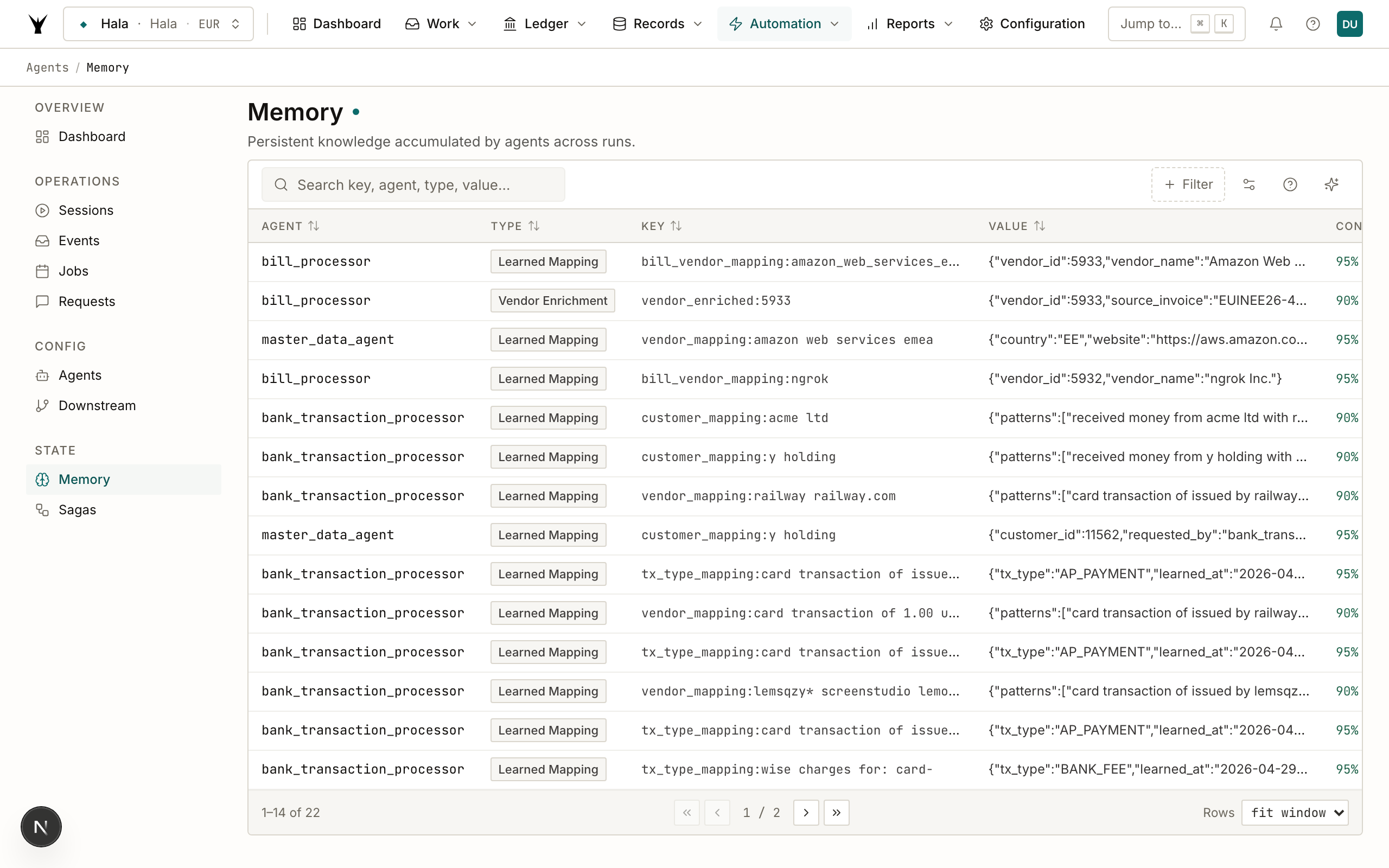
Admin Dashboard → Memory page shows all memory entries for your organization, filterable by agent type and entity. Use this to audit what agents have learned, delete incorrect entries, or clear stale mappings that are causing misclassifications. To correct a mapping, delete the wrong entry from the dashboard, then ask Claude to store the corrected version using manage_agents(action="store_memory", ...).
Human Escalation
Some situations cannot be resolved autonomously. A required GL account does not exist. A vendor cannot be matched with confidence. Required configuration is missing. In these cases, agents escalate to a human rather than guessing or failing.
How It Works
When an agent determines it cannot proceed without human input, it:
- Creates an
agent_requestwithrequest_type = "verification"or"missing_data", including a clear question, relevant context, and suggested actions. - Marks the original work as
in_progress(not failed) — it is waiting, not broken. - Stores a
pending_human_input:<type>:<id>entry in memory to prevent the agent from re-escalating the same issue on the next run. - Stops and waits for the callback.
Responding to Escalations
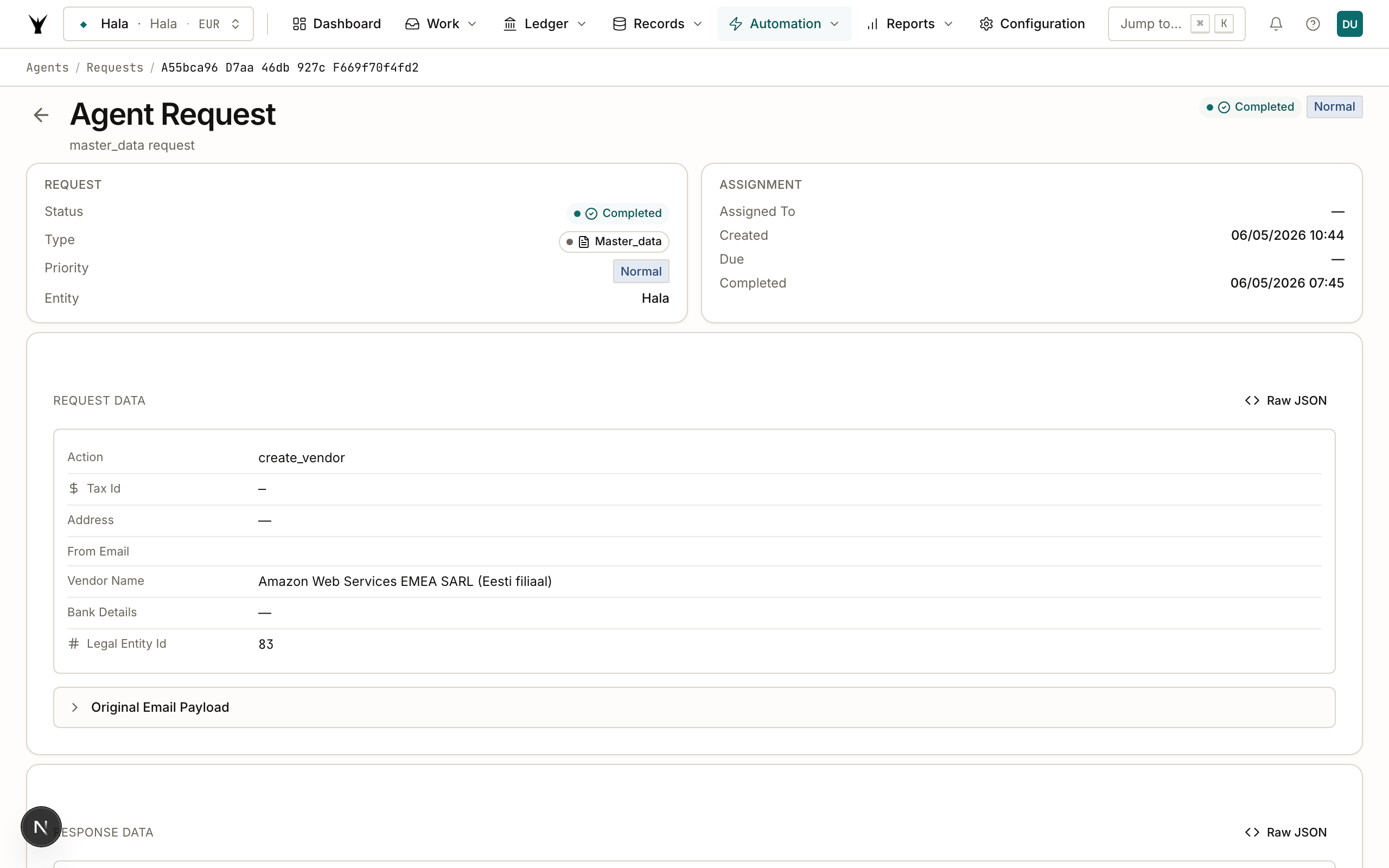
Admin Dashboard → Agent Requests page shows all pending escalations with their priority, due date, context, and suggested actions. Click into any request to see the full details and respond.
You can also respond via Claude:
submit("agent_request", "update", {
    request_id: "<uuid>",
    status: "completed",
    response: { account_number: "6200", notes: "Use operations expense account" }
})
When the request is marked completed, the system emits a callback event and the requesting agent resumes.
Example: Configuration Agent Missing GL Account
configuration_agent                     Finance Team (Admin UI)
     |                                        |
     | 1. Cannot find suitable GL accounts   |
     |    for BANK_FEE posting profile        |
     |                                        |
     | 2. Creates agent_request:              |
     |    type = "verification"               |
     |    priority = "high"                   |
     |    question = "Which account should    |
     |    BANK_FEE transactions post to?"     |
     |    context = accounts searched,        |
     |    original config request id          |
     |                                        |
     | 3. Marks original config request       |
     |    status = "in_progress"              |
     |    Stores memory:                      |
     |    pending_human_input:               |
     |      verification:<request-id>         |
     |    (prevents duplicate escalation)     |
     |                                        |
     |                     4. Request appears |
     |                        in Agent        |
     |                        Requests page   |
     |                                        |
     |                     5. Finance team    |
     |                        responds:       |
     |                        account = 6300  |
     |                                        |
     |                     6. Marks request   |
     |                        completed       |
     |                        Callback fires  |
     |                                        |
     | 7. Resumes with account 6300           |
     |    Creates posting profile             |
     |    Marks original request completed    |
     +----------------------------------------+
The memory entry at step 3 is the key safeguard. Without it, every subsequent run of the agent would re-escalate the same issue, flooding the request queue with duplicates.
Loop Prevention
Agent-to-agent callbacks can create infinite loops. Agent A completes, triggers Agent B. Agent B completes, triggers Agent A again. Both report success, so failure logic never fires. Three independent safeguards prevent this.
Layer 1 — Global Spawn Limit
Before creating any agent instance from a callback event, the event processor counts how many completed instances of that agent type have run via callbacks in the last 30 minutes. If the count reaches 3, the event is marked failed with a "loop detected" message and processing stops.
Only completed instances count. Failed instances are retries (transient errors), not loops — counting them would generate false positives when a bug causes legitimate failures.
This check applies only to callback events (agent_request.* events). Normal trigger events — bank statement imports, email receipts, scheduled runs — are not rate-limited here. Three bank statements uploaded simultaneously each trigger their own independent bank_statement.manual_import event and all process normally.
Layer 2 — Single-Retry Circuit Breaker
When a code agent runs as a callback (re-triggered after a completion event), it sets an internal flag indicating it is on a callback re-run. If the agent encounters the same missing resource it escalated in the previous run — for example, a posting profile that the configuration_agent was supposed to create — the circuit breaker fires and the agent skips rather than re-escalating.
This means the fulfilling agent gets exactly one chance to fix the problem. If it fails or fixes the wrong thing, the cycle stops immediately rather than bouncing back and forth indefinitely.
Layer 3 — Request Deduplication
Before creating a new agent_request, the requesting agent checks whether an identical request (same organization, entity, and request type) was already created within the last hour. If one exists, no new request is created.
This prevents the scenario where the same unresolvable problem generates dozens of requests over the course of a processing run — each requesting the same missing data from a human who has not yet responded.
Why All Three Layers
Each layer catches a different failure mode. The spawn limit catches loops between agents that both report success. The circuit breaker catches agent-specific re-escalation when the fix did not work. Request deduplication prevents queue flooding during a long processing run. Together they make the system safe to run autonomously without human monitoring.
Concurrency Control
Per-Agent Limits
Each agent definition has a max_concurrent_runs field that caps how many instances of that agent can run simultaneously. The reconciliation agent defaults to 1 — running two reconciliation passes at the same time would cause duplicate matches. The bill_processor defaults to 5 — email bursts are common and it is safe to process multiple bills in parallel.
To update a limit:
submit("agent_definition", "update", {
    definition_id: 1,
    max_concurrent_runs: 3
})
Per-Organization Limits
Artifi enforces a per-organization concurrent agent limit (default 3 LLM agents simultaneously) to prevent one organization from monopolizing shared infrastructure during a batch run.
Queue Behavior
When an agent hits its max_concurrent_runs limit, the triggering event stays in pending state and is retried automatically after one minute. There is no manual intervention required — the event will start as soon as a slot opens.
Orphaned Instance Cleanup
Occasionally an agent instance can get stuck in pending — for example, if the worker process crashed before it could start the instance. The event processor automatically times out any instance that has been in pending for more than 5 minutes without starting. This prevents a dead instance from permanently blocking the concurrency slot for that agent type.
You can also manually cancel a stuck instance:
submit("agent_instance", "cancel", {instance_id: "<uuid>"})
Next Steps
- Manage Agents — View and configure agent definitions, monitor running instances, manage the event queue, and handle API keys.
- Build Custom Agents — Create new agent definitions with custom prompts, tool allow-lists, scheduled triggers, and downstream rules to automate your specific workflows.
The same procedure runs daily under governance — agents propose, your team approves through risk lanes, and every write lands as an immutable audit row.